
Features / Online Enrollment
Online Enrollment
The whole enrollment packet, filled in and signed online.
What it does
- State-required forms for your state, pre-filled from what you already know
- Tuition agreement and handbook signed electronically
- Dated, versioned copies for the family and for you
- Nothing to print, scan or chase
6 screens in about 25 seconds. No sound needed.
Why it matters
An enrollment packet is where a new family first meets your paperwork, and where a missing signature today becomes a citation next year.
Centerly puts the whole packet online, pre-fills what it already knows, and keeps a dated, versioned copy of everything signed.
In practice
The family starts
From a link, on a phone. Each step is short, and progress is saved.
Forms fill themselves
What the family typed once appears on every form that needs it, including your state's.
Everyone signs
The parent signs with a finger; the director countersigns; both get a dated copy.
Online Enrollment in 6 screens
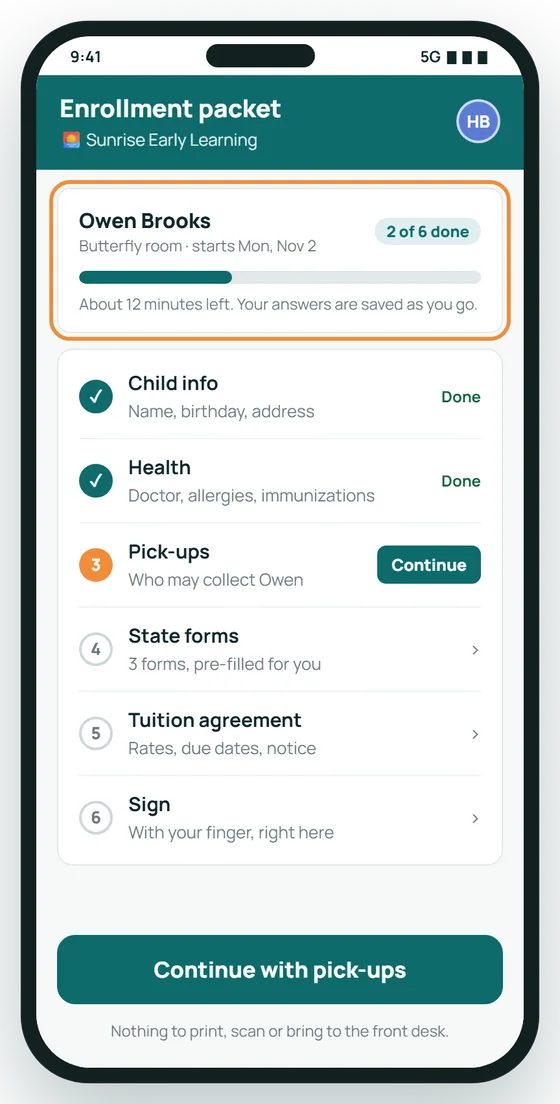
The whole packet, one step at a time
Families see six clear steps and a progress bar. Answers save as they go, so they can stop and pick up again on any device.
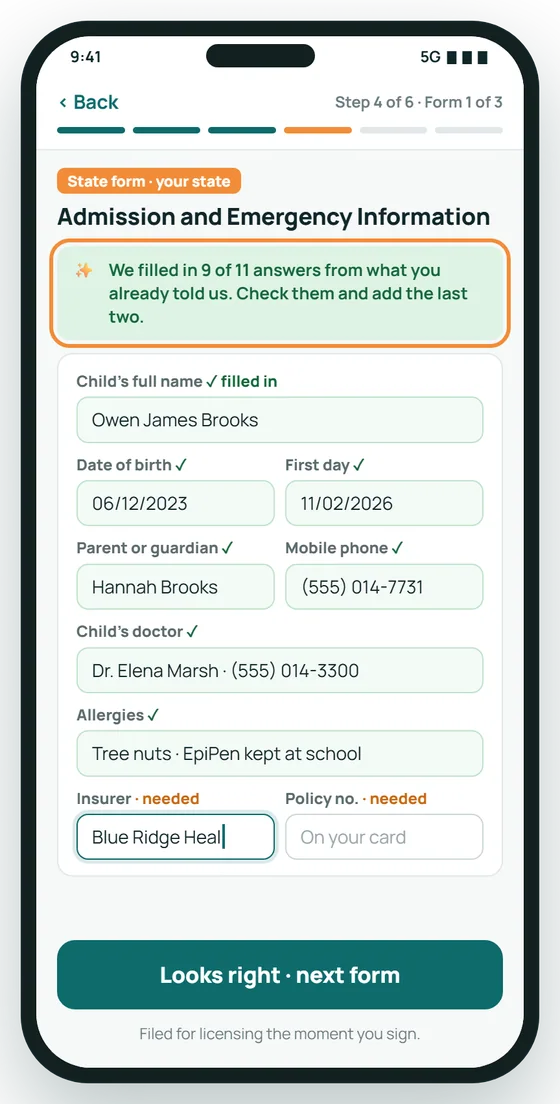
State forms that fill themselves in
Forms required by your state are pre-filled from what the family already entered. Parents check them and add only what is missing.
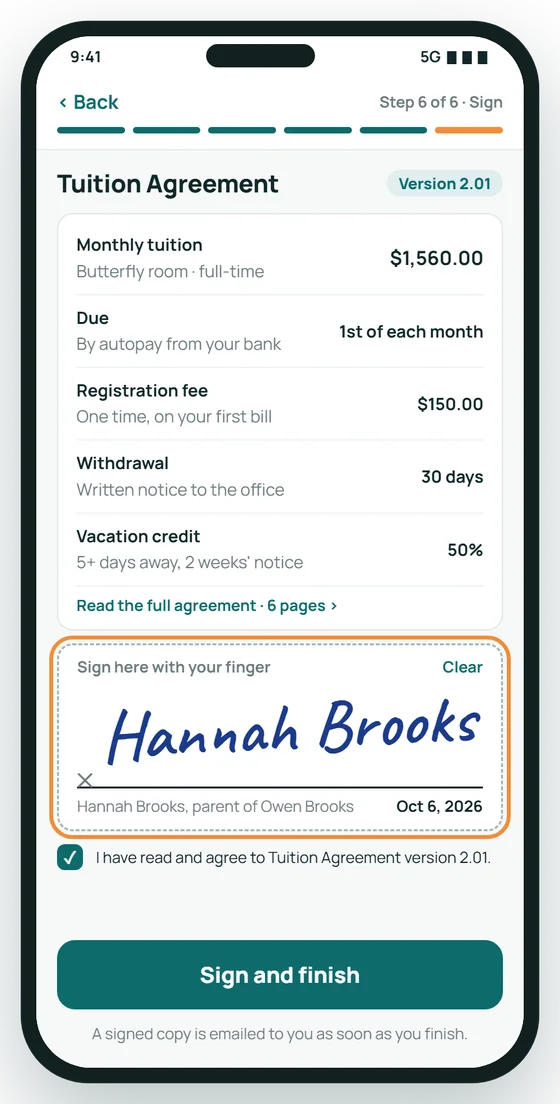
Signed with a finger, on the phone
The key terms are summarised in plain words above the signature. A dated, signed copy goes to the family straight away.
Every form, its status and its version
The office sees each form in the packet with its status, signed date and version number, and approves the whole packet in one click.
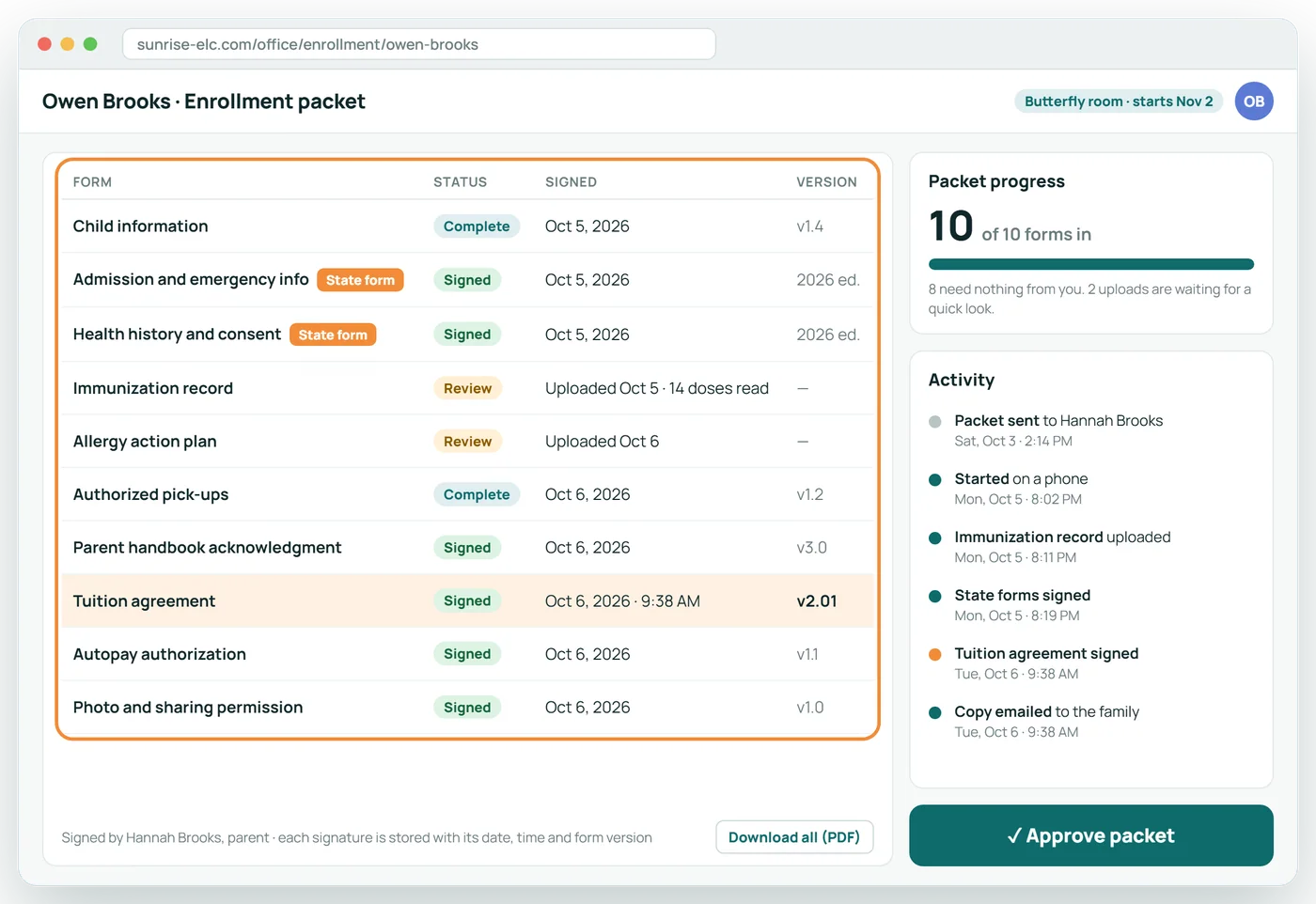
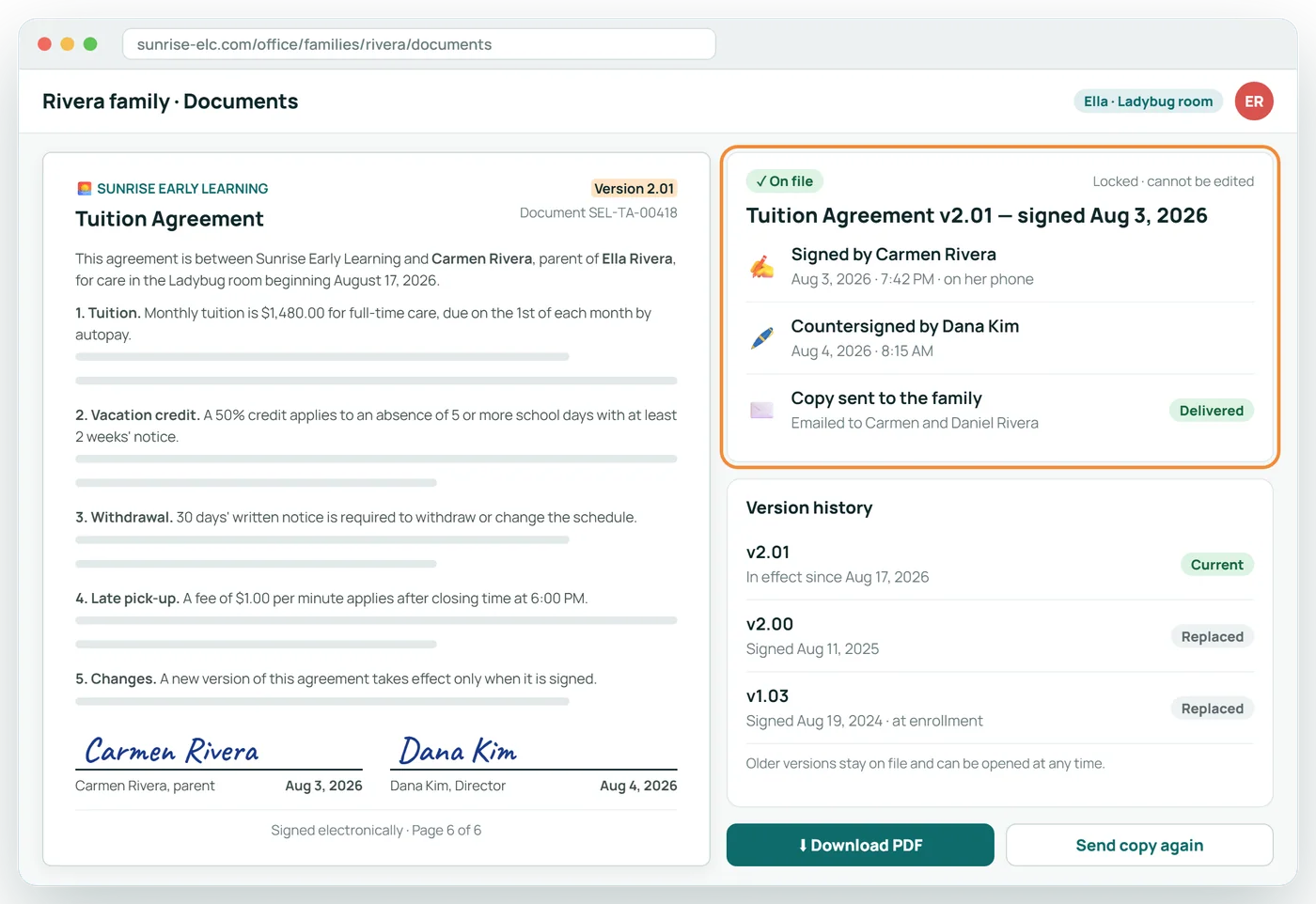
A signed, versioned copy, always on file
Each agreement is stored with its version, who signed it and when. The family gets the very same copy by email.
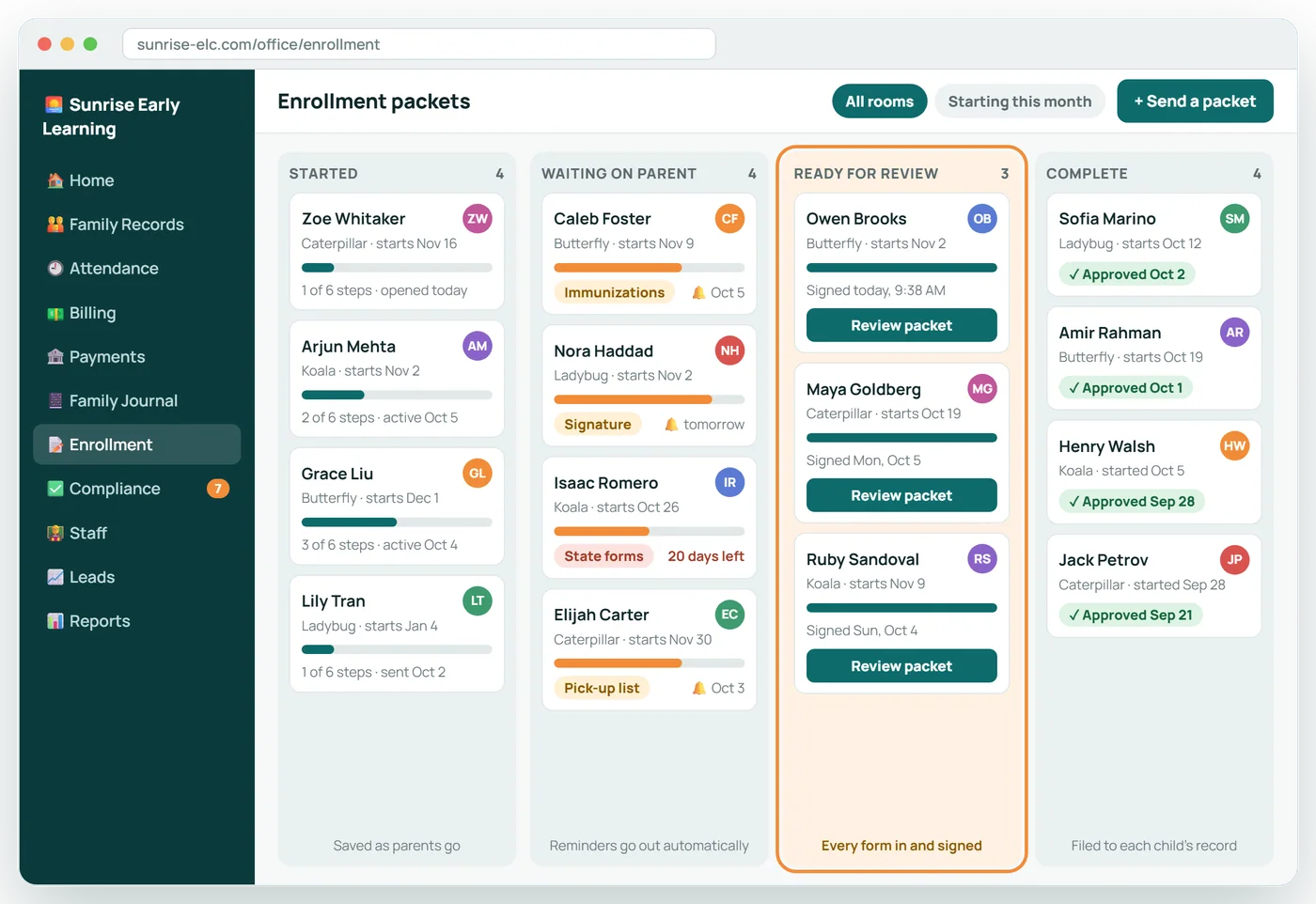
See where every packet stands
Packets move from started to complete on their own. The office sees who is waiting on a parent and what is ready to review.
What is in the packet
- Child information: name, date of birth, start date, program
- Parents, guardians and emergency contacts
- Authorized pick-ups
- Health: allergies, conditions, doctor, immunization record upload
- Permissions: field trips, sunscreen, photos, water play, transportation
- The forms your state requires for admission
- Tuition agreement, with your rates and policies
- Parent handbook acknowledgment
- Payment set-up
About Online Enrollment
Are our state forms included?
The forms your state requires are built in and pre-filled from what the family has already entered.
Are electronic signatures valid?
Electronic signatures are recorded with the date, time and the version of the document signed. Check your own state's licensing guidance for any form it requires on paper.
What about the center's signature?
Forms that need a countersignature from the director are queued for it, and the file is not complete until both are there.
Can a family stop and come back?
Yes. Progress is saved and they pick up where they left off, on any device.
Related features
Parent Portal
Parents keep their own details current, so your office does not have to.
See it →BillingTuition Billing
Tuition that follows each family's signed agreement, prorated automatically.
See it →Inspection dayWhen Licensing Visits
The inspector picks a few children and employees. Every file is already complete.
See it →Enrollment pipelineEnrollment CRM
Every lead tracked from first question to first day.
See it →See Online Enrollment with your own center in mind
A 30-minute call, shaped around how your center runs today.