
Features / When Licensing Visits
When Licensing Visits
The inspector picks a few children and employees. Every file is already complete.
What it does
- Expirations watched months ahead, with reminders sent for you
- Any gap found and fixed in a couple of clicks
- Pick the files the inspector asks for and open them in seconds
- Immunizations, signed state forms, training hours and background checks, all in order
13 screens in about 50 seconds. No sound needed.
Why it matters
A licensing visit is rarely about one dramatic problem. It is about whether, for the handful of children and employees the inspector happens to pick, every required record is present, current and signed. One missing parent signature on one form is a citation.
Centers that do well on inspection day are the ones that never stopped checking. Centerly does that checking for you every night, sends the reminders, and makes a gap easy to close the day it appears. By the time someone visits, there is nothing left to find.
In practice
All year: watch and remind
Expiring CPR cards, background-check renewals, training hours, doses coming due and forms needing a new signature are tracked months ahead. Reminders go to the employee or the parent without you.
Any day: find and fix
A gap appears on the office to-do list with a plain explanation. Most are closed in two clicks, for example by sending a form to a parent's phone for signature.
Visit day: open the files
Tick the children and employees the inspector names and open their files. Each shows every required record, with dates and signatures, and prints as one packet.
When Licensing Visits in 13 screens
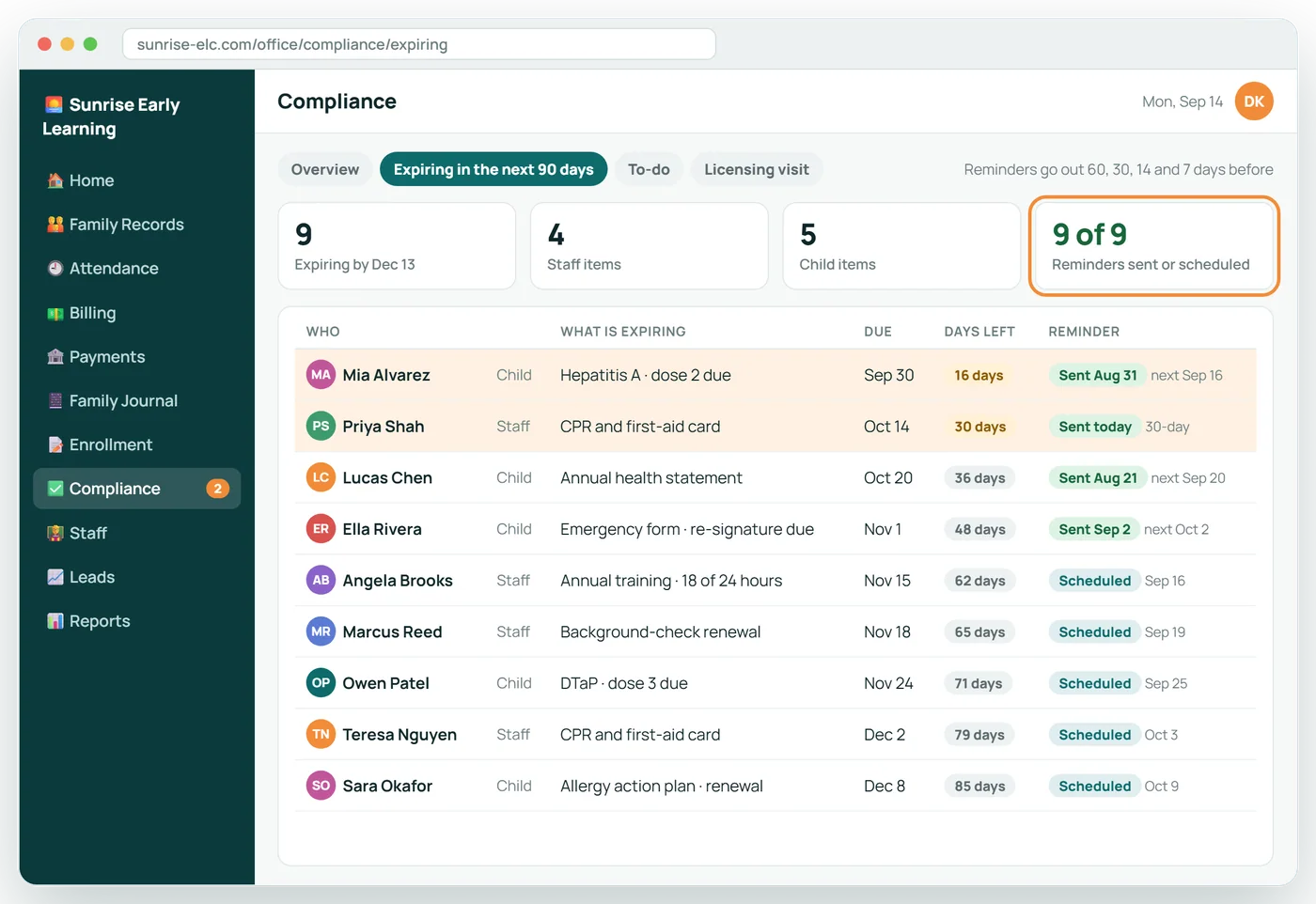
Centerly watches every expiry date
Staff cards, background checks, training hours, immunizations and forms are tracked all year, and the reminders go out on their own.
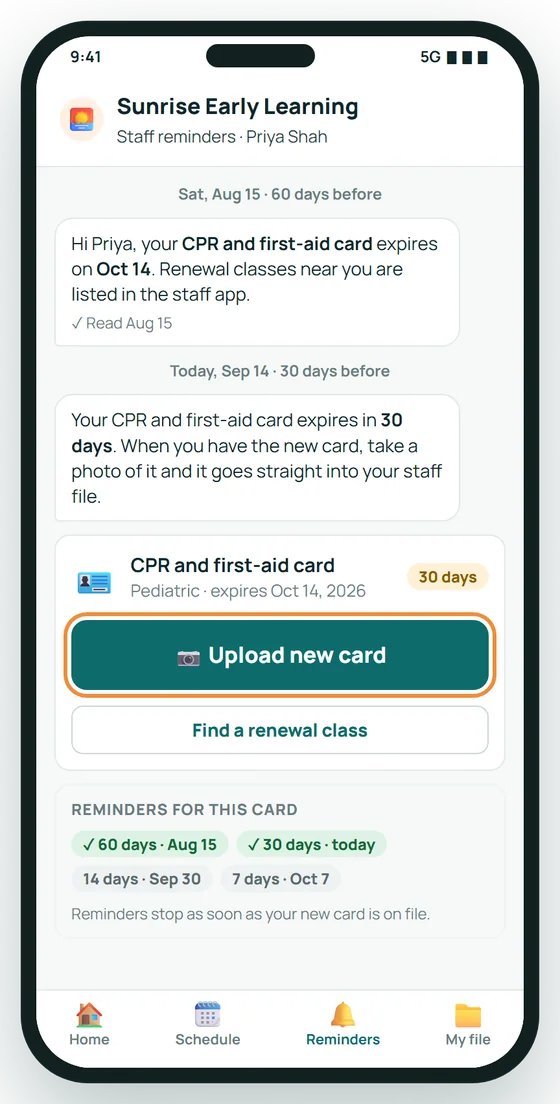
Teachers get the nudge, not you
Thirty days before her CPR card expires, Priya gets a reminder with a one-tap upload. The 60-day reminder already went out.
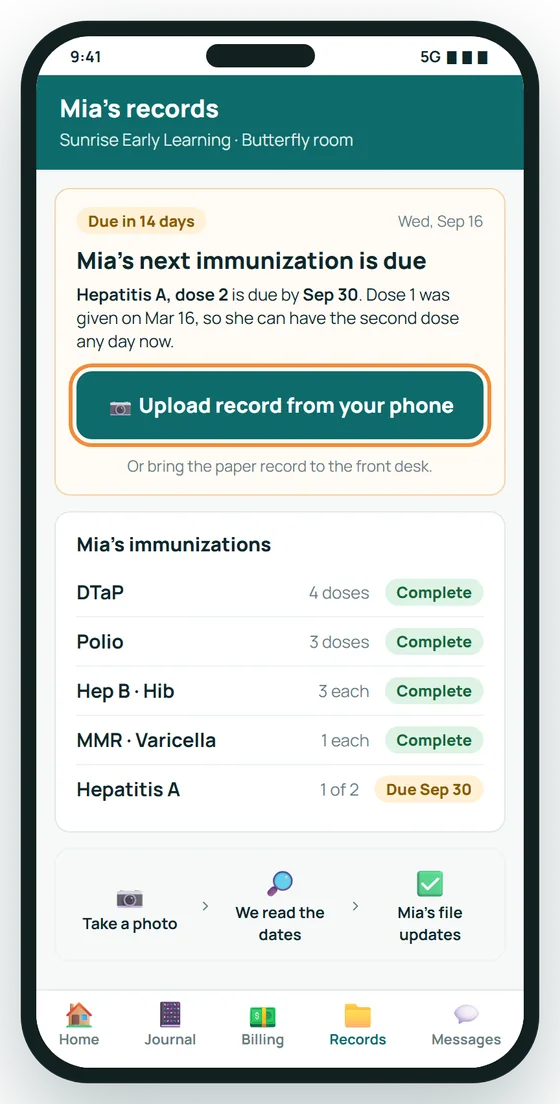
Parents are reminded too
When a child's next dose is coming due, the parent gets a reminder and can upload the new record straight from a phone.
Find the one gap in seconds
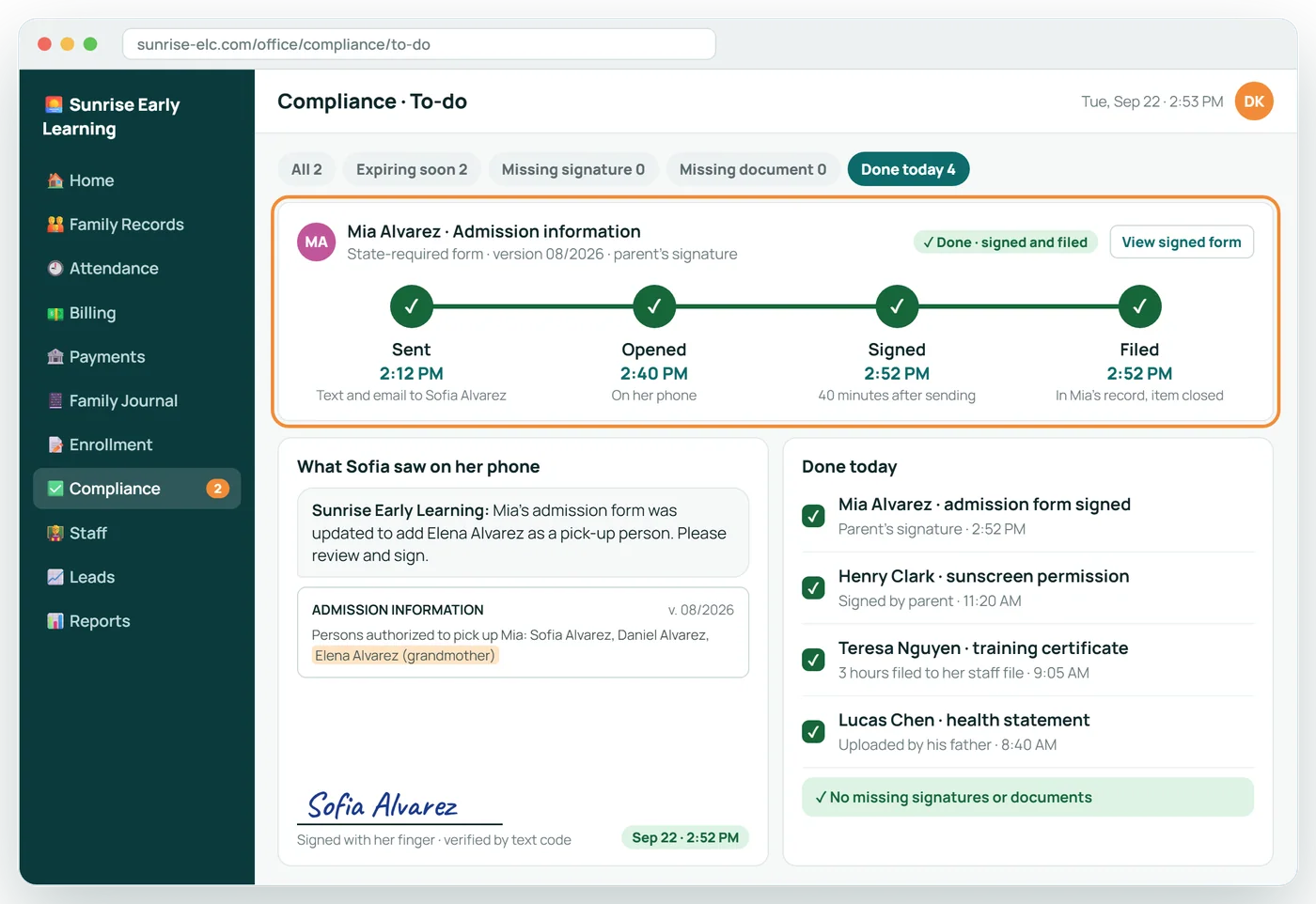
The to-do list shows exactly what is missing. Here, a state admission form is waiting on a parent's signature.
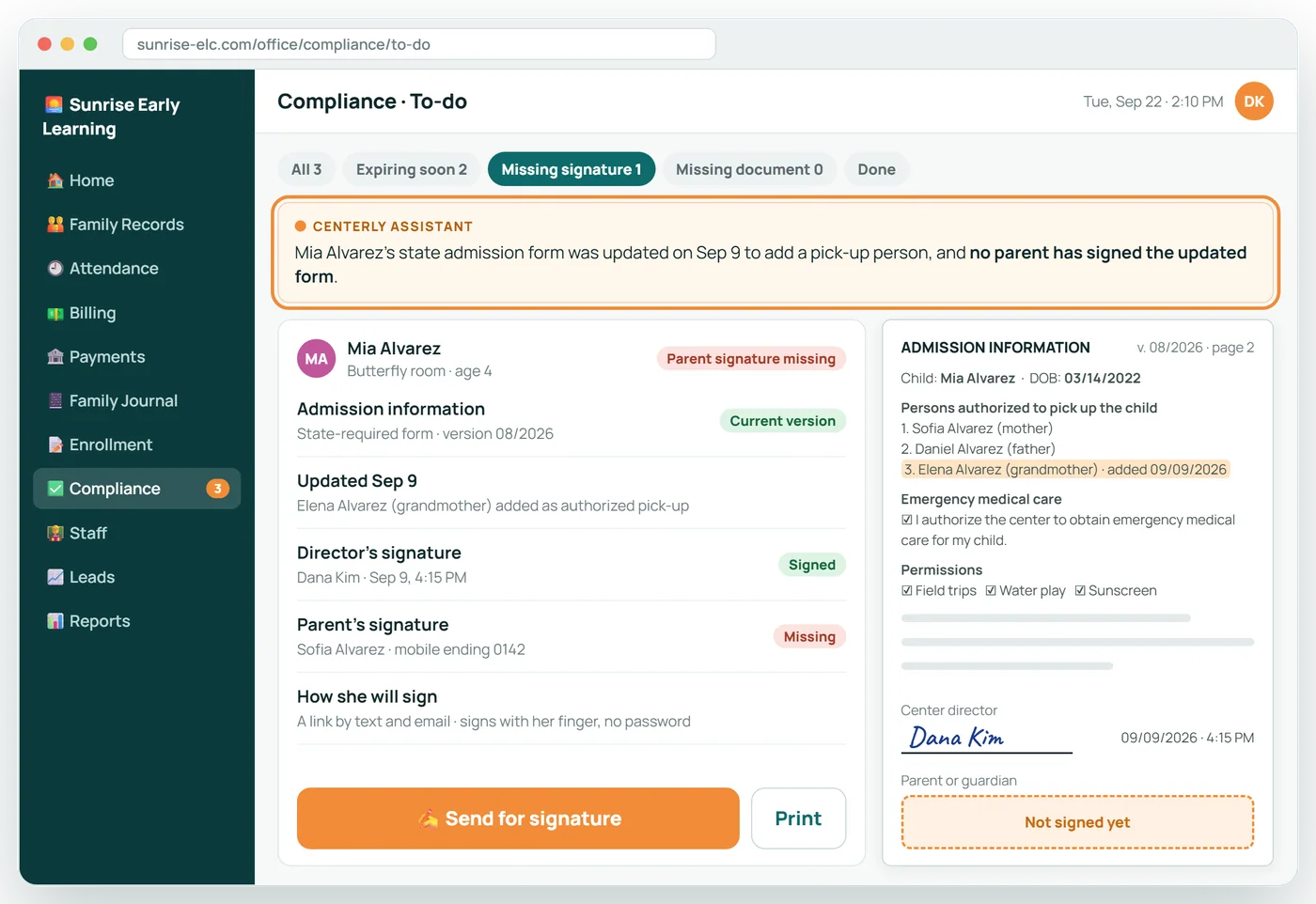
Fixed in two clicks
Send for signature, and the parent signs on her phone. Forty minutes later the form is filed and the item is done.
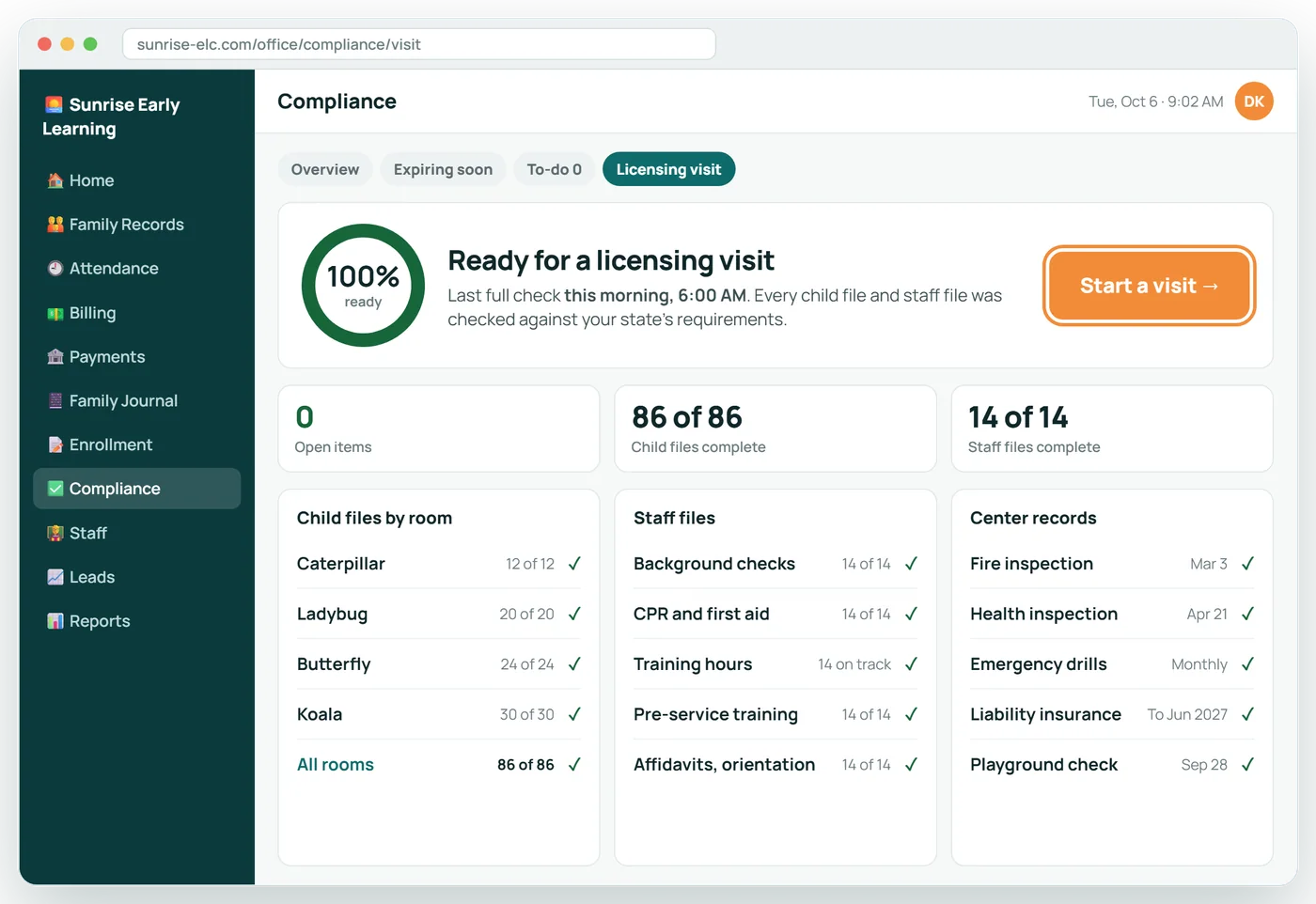
Then one morning, licensing arrives
Open Licensing visit mode. Every child and staff file was checked at 6:00 this morning, and nothing is open.
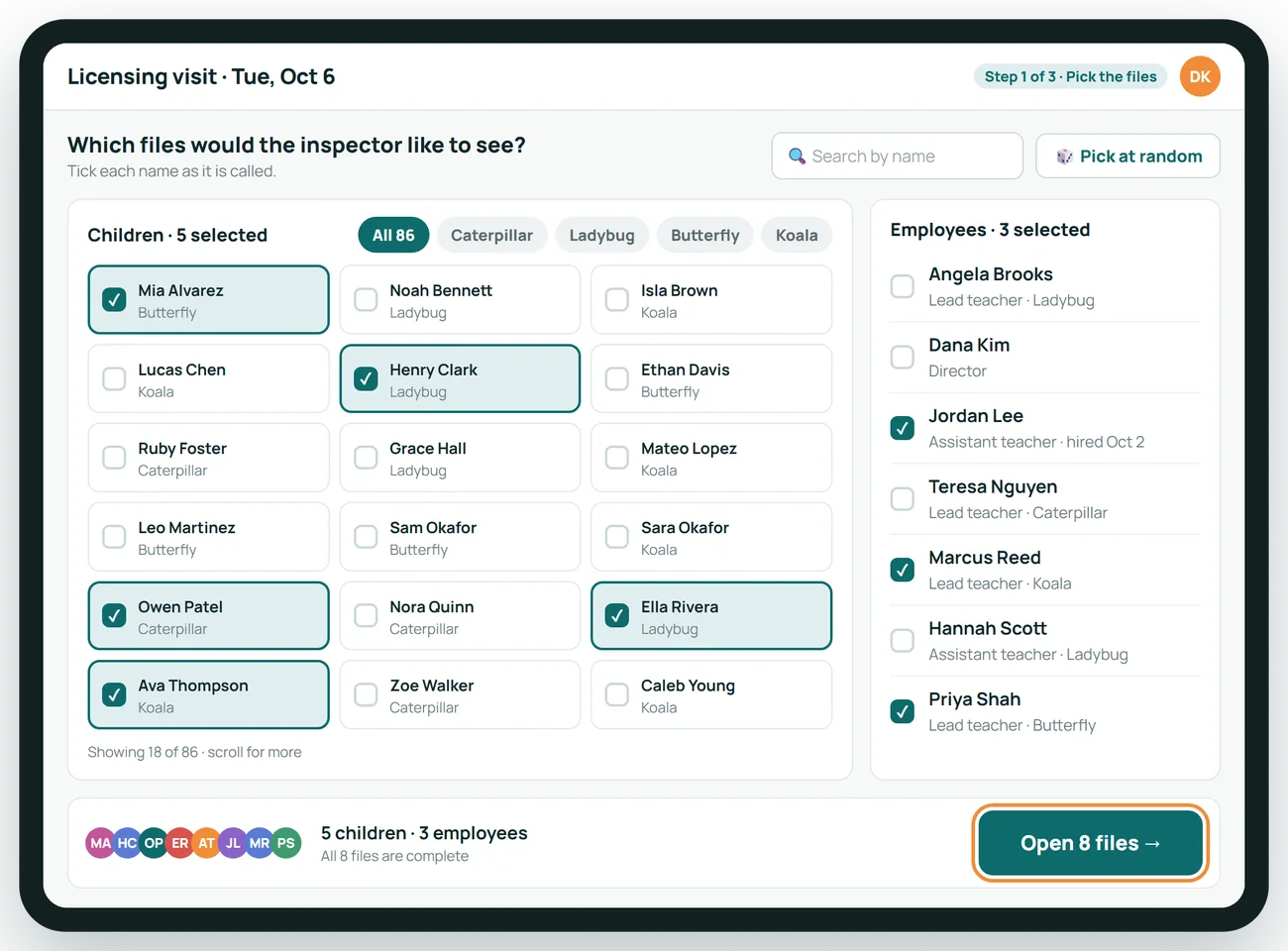
The inspector picks the files
The licensing representative names five children and three employees. Tick them on the roster and open all eight files.
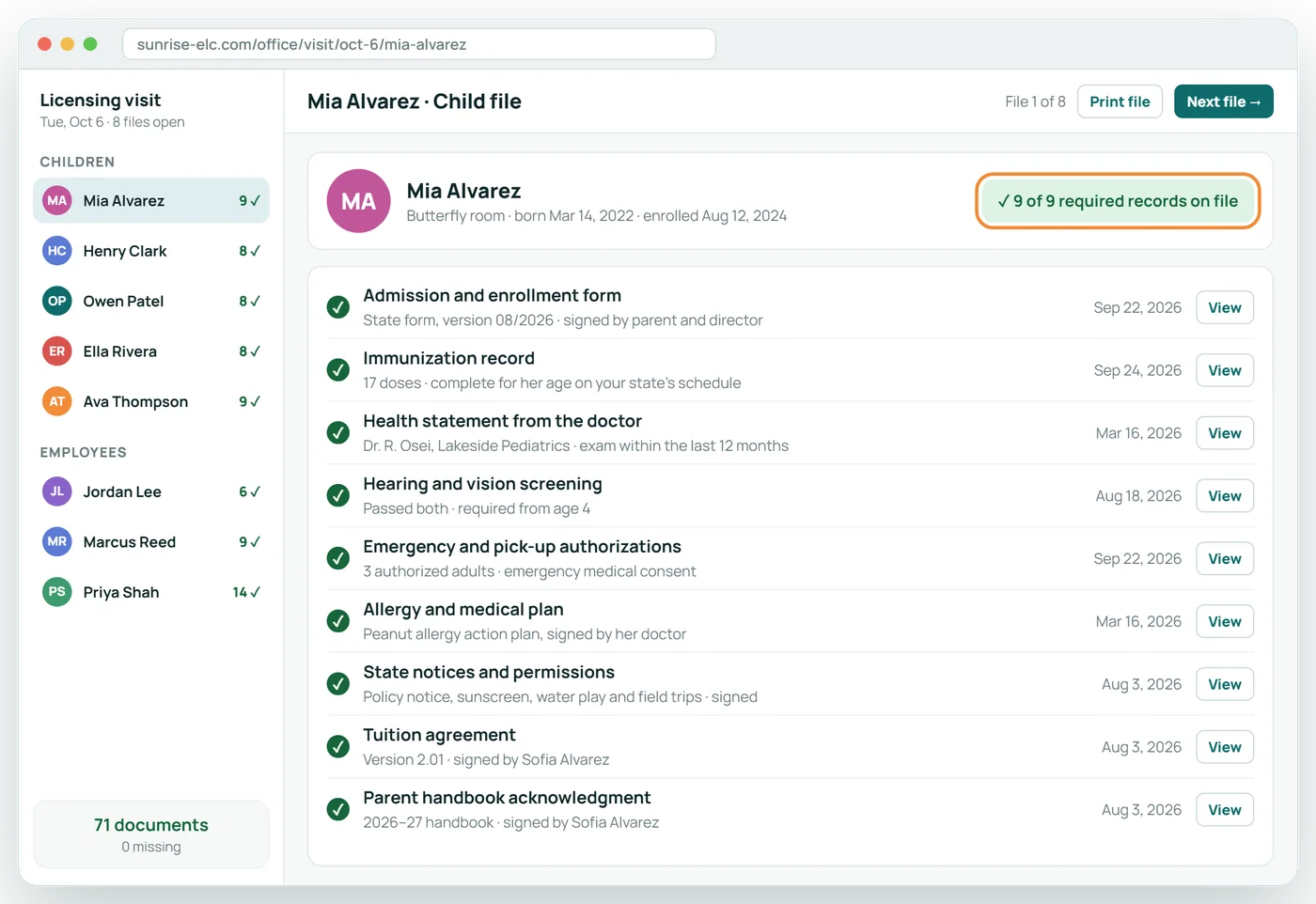
A child's whole file at a glance
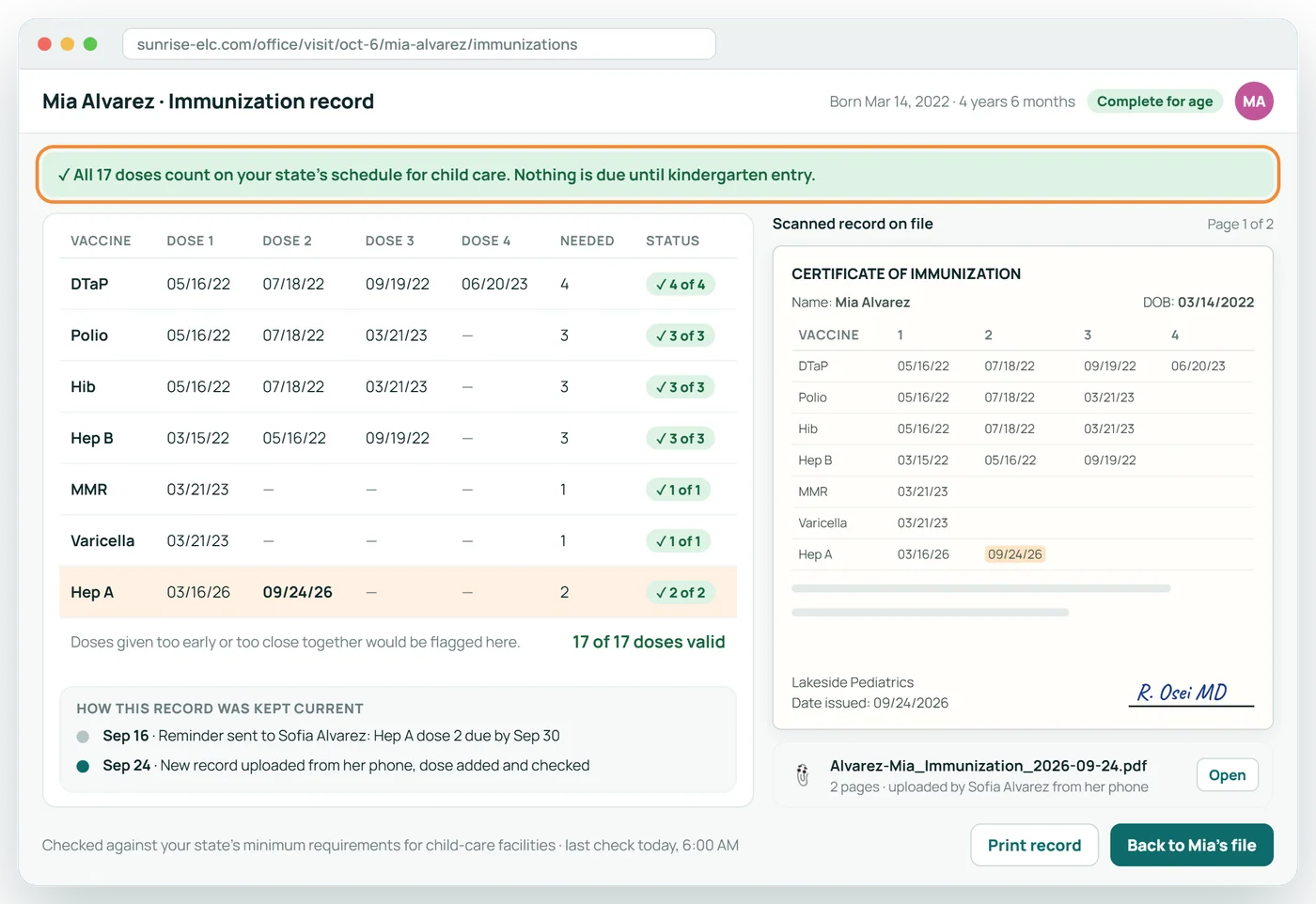
Every record your state requires for Mia, each with a green tick, a date, and the document one click away.
Immunizations, dose by dose
Each dose is checked against your state's schedule, with the scanned record beside it for the inspector to read.
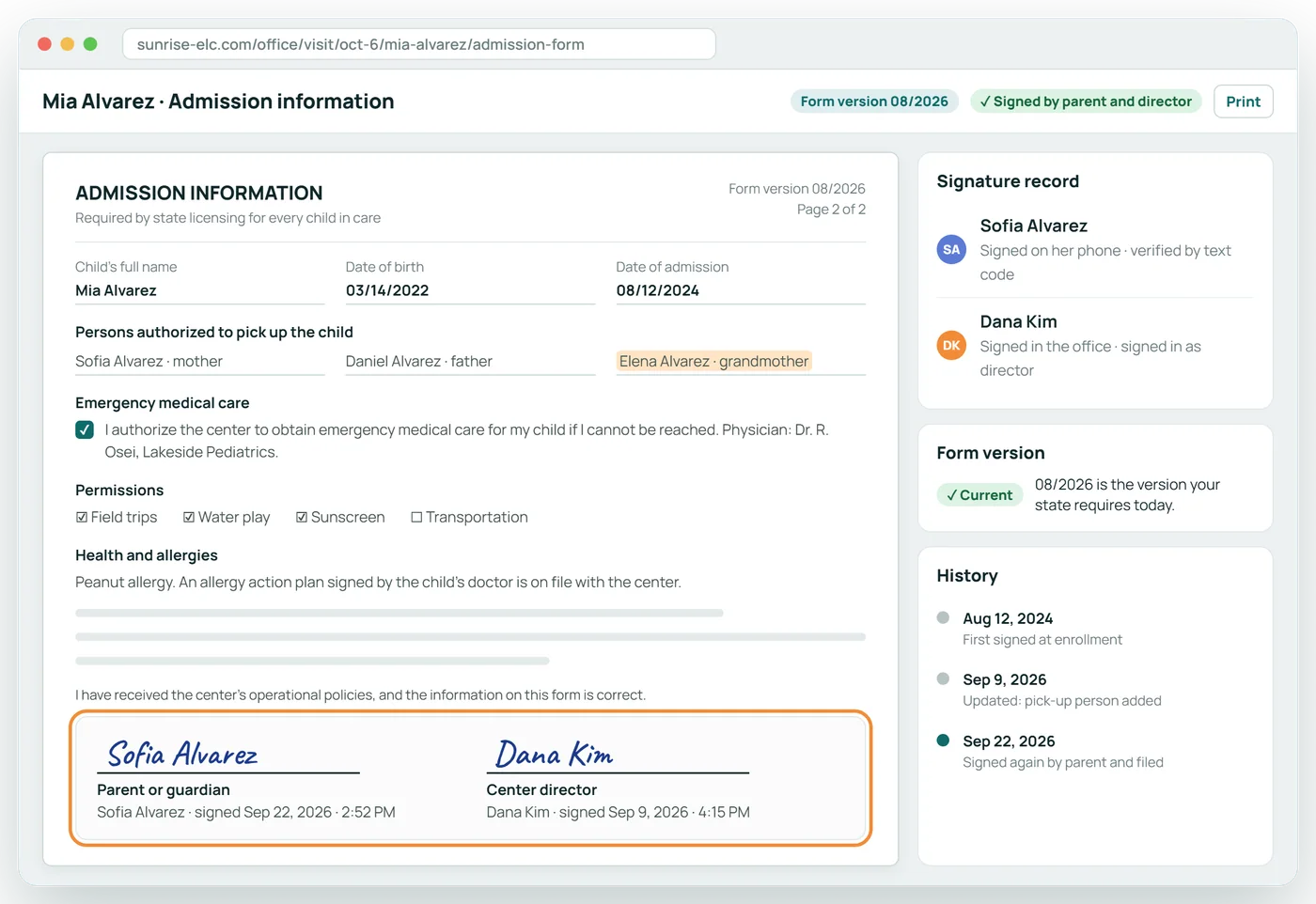
State forms, signed by both
The parent's and the director's signatures, each with date and time, on the current version of the form.
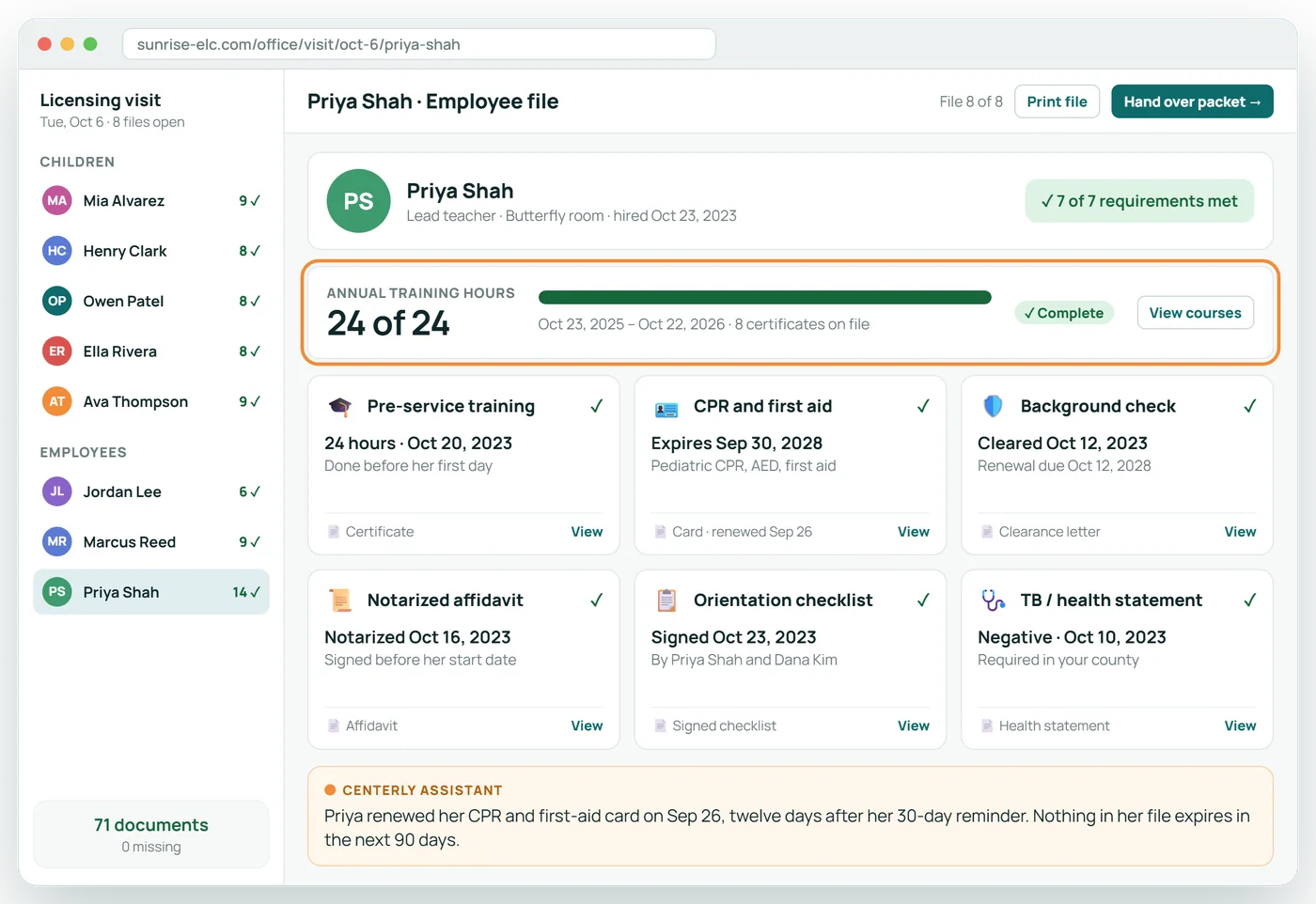
An employee's file, all green
Training hours, CPR and first aid, background check, affidavit and orientation for Priya, each one current and on file.
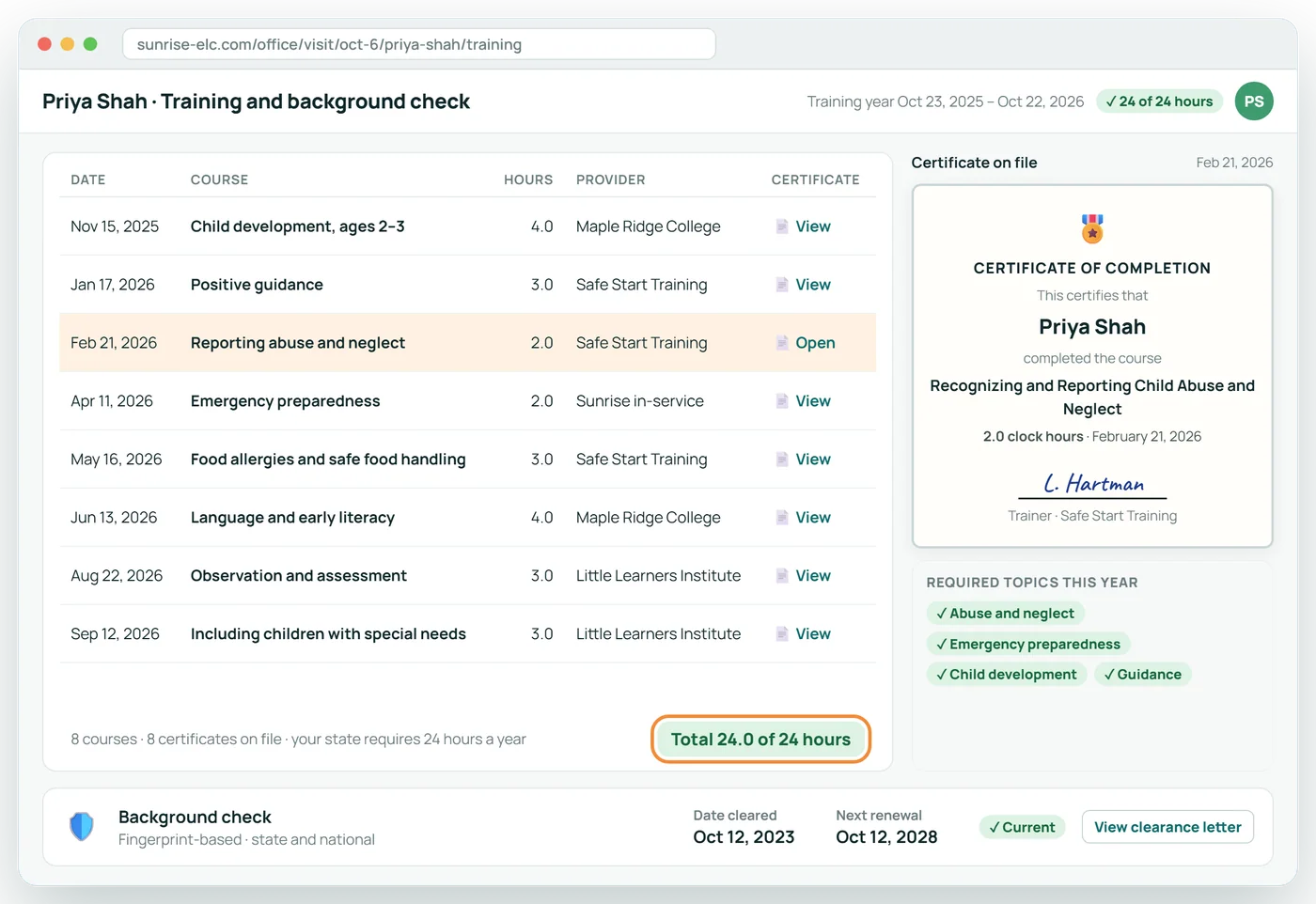
Training hours, certificate by certificate
Every course with its date, hours, provider and certificate, adding up to the annual requirement, plus the background-check dates.
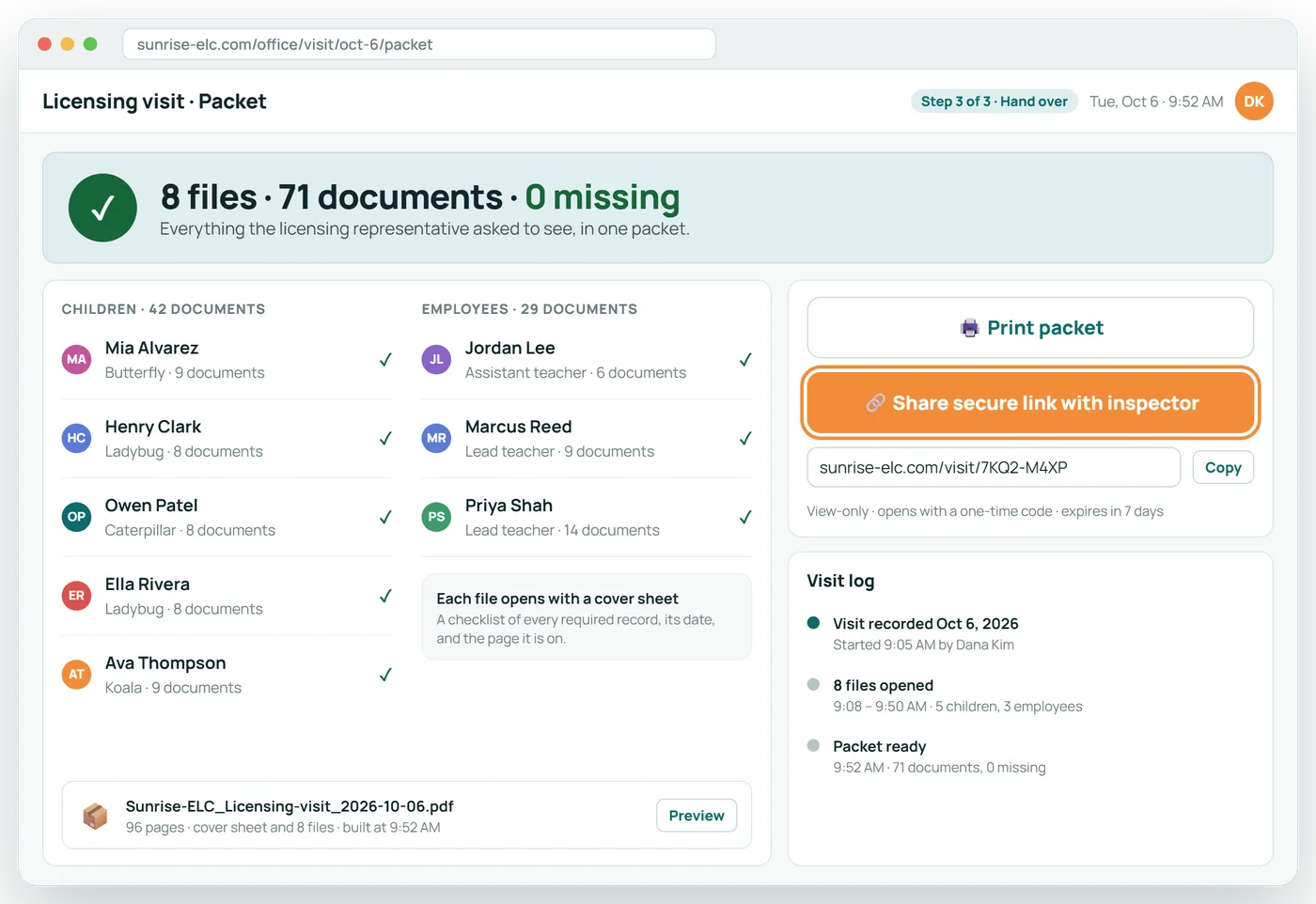
Hand over the packet
Print all eight files or share a secure link with the inspector. Nothing is missing, and the visit is on record.
What is in each file, and how it stays current
A child's file
| Record | How it gets there | How it stays current |
|---|---|---|
| Admission or enrollment form | Completed online by the parent | A change to pick-up people or contacts asks for a fresh signature |
| Immunization record | Uploaded by the parent or scanned by the office; read by the assistant | Next dose tracked; parent reminded before it is due |
| Health statement | Uploaded or scanned | Renewal date tracked |
| Hearing and vision screening | Uploaded or scanned | Flagged when a child reaches the age your state requires |
| Emergency and pick-up authorizations | Entered by the parent in the portal | Parents update them; every change is recorded |
| Allergy or medical plan | Uploaded, with allergies shown on classroom screens | Reviewed at re-enrollment |
| State forms | Pre-filled, signed by the parent, countersigned by the director | Re-signed when your state issues a new version |
| Tuition agreement and handbook | Signed online | Versioned; the signed version stays on file |
An employee's file
| Record | How it gets there | How it stays current |
|---|---|---|
| Annual training hours | Each course entered with its certificate | Hours short of the requirement are flagged as the year goes on |
| Pre-service training and orientation | Completed and signed during onboarding | One-time, kept permanently |
| CPR and first aid | Card uploaded and read at upload | Employee reminded ahead of expiry |
| Background check | Notice recorded with the cleared date | Renewal date tracked and reminded |
| Notarized affidavit | Uploaded and checked for every page and signature | Kept on file |
| Health statement or TB screening | Uploaded where your state requires it | Renewal tracked |
About When Licensing Visits
What does an inspector usually ask to see for a child?
It varies by state, but typically the enrollment or admission form, the immunization record, a health statement, screenings where required, emergency and pick-up authorizations, any allergy or medical plan, and state forms with the parent's and the center's signatures.
And for an employee?
Typically annual training hours with certificates, pre-service training, CPR and first aid, the background check and its renewal date, a notarized affidavit where required, and a signed orientation.
Can the inspector look at the files on screen?
Yes. Many are happy to. You can also print the packet or share a secure link to the selected files.
Does this guarantee no citations?
No software can. Centerly shows you the gaps and helps you close them before anyone visits. Your center remains responsible for meeting the standards.
Related features
Licensing and Compliance
Know what an inspector would find, before the inspector does.
See it →AI assistant for your staffCenterly Assistant
An AI assistant that reads the paperwork, files it, and tells your office what is missing.
See it →Enrollment and e-signaturesOnline Enrollment
The whole enrollment packet, filled in and signed online.
See it →Your teamStaff Onboarding and HR
From application to first day, with every document tracked.
See it →See When Licensing Visits with your own center in mind
A 30-minute call, shaped around how your center runs today.