
What it does
- Leads captured from your website, chat, phone and ads
- Automated follow-up before and after the tour
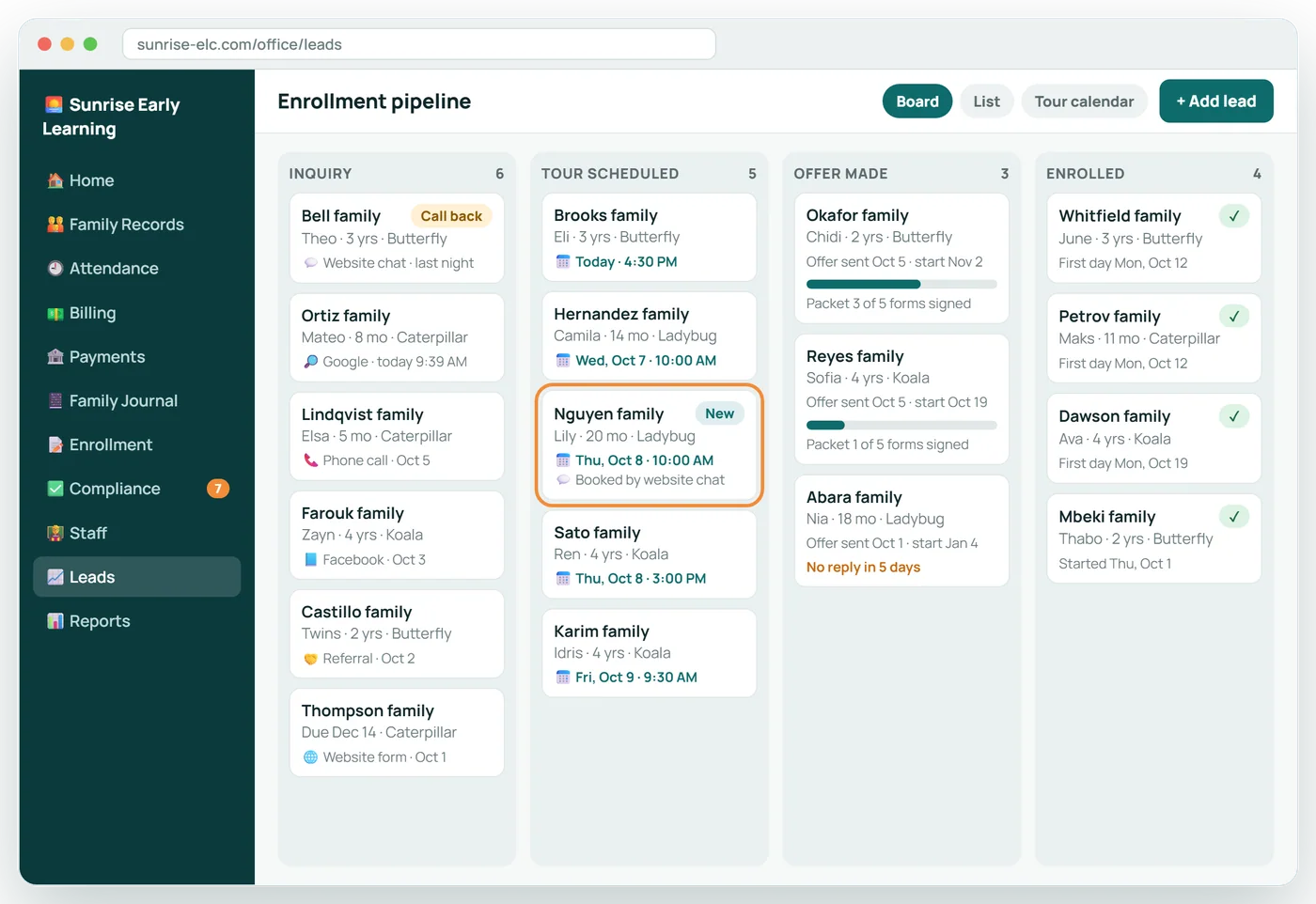
- A clear pipeline: inquiry, tour, offer, enrolled
- See which sources actually fill your classrooms
6 screens in about 25 seconds. No sound needed.
Why it matters
Most centers lose prospective families not to a competitor but to silence: a call not returned, a tour not followed up.
The enrollment CRM keeps every family in view from first question to first day and sends the follow-up for you.
In practice
Capture
Website, chat, phone, walk-ins, referrals and ads all land in one list.
Follow up
Reminders and check-ins go out on schedule, in your words.
Convert
When a family is ready, the enrollment packet is one click away.
Enrollment CRM in 6 screens
Every family, from inquiry to enrolled
One board shows where each prospective family stands, so nobody is forgotten between the first question and the first day.
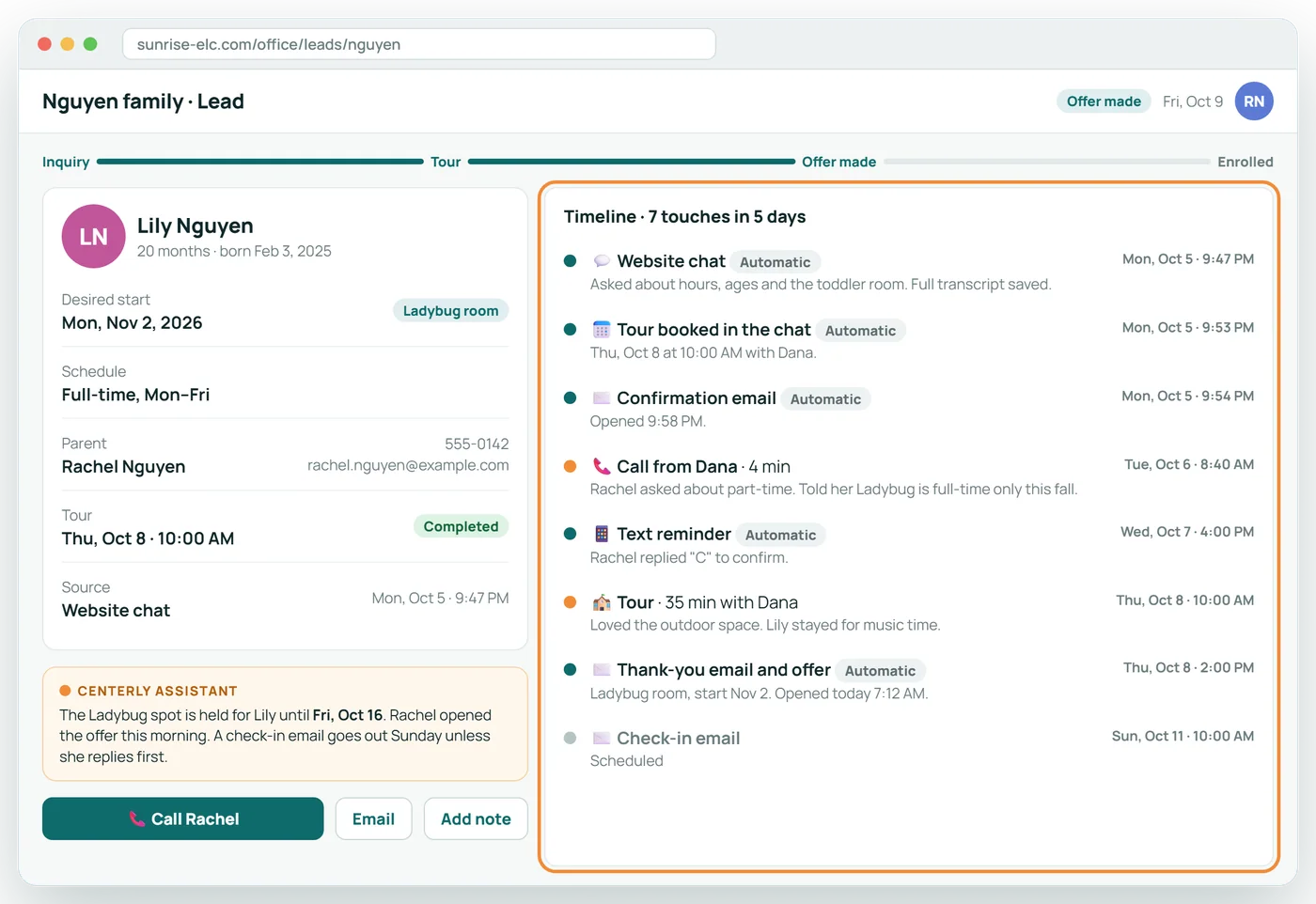
One record, every touch
The chat, the emails, the call and the tour sit on one timeline, so anyone in your office can pick up where the last person left off.
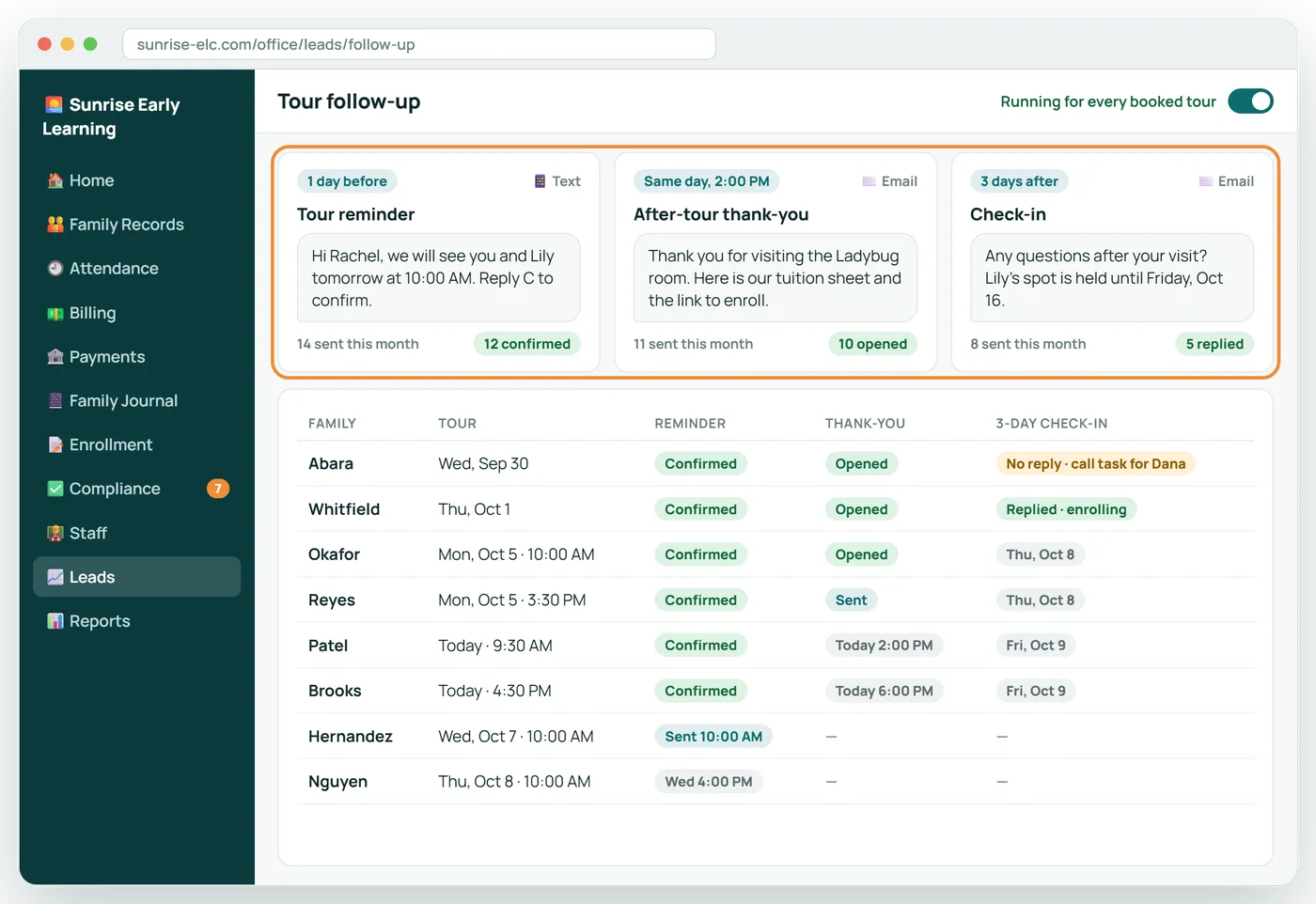
Follow-up that sends itself
A reminder before the tour, a thank-you after it and a check-in three days later, sent in your words without anyone remembering to.
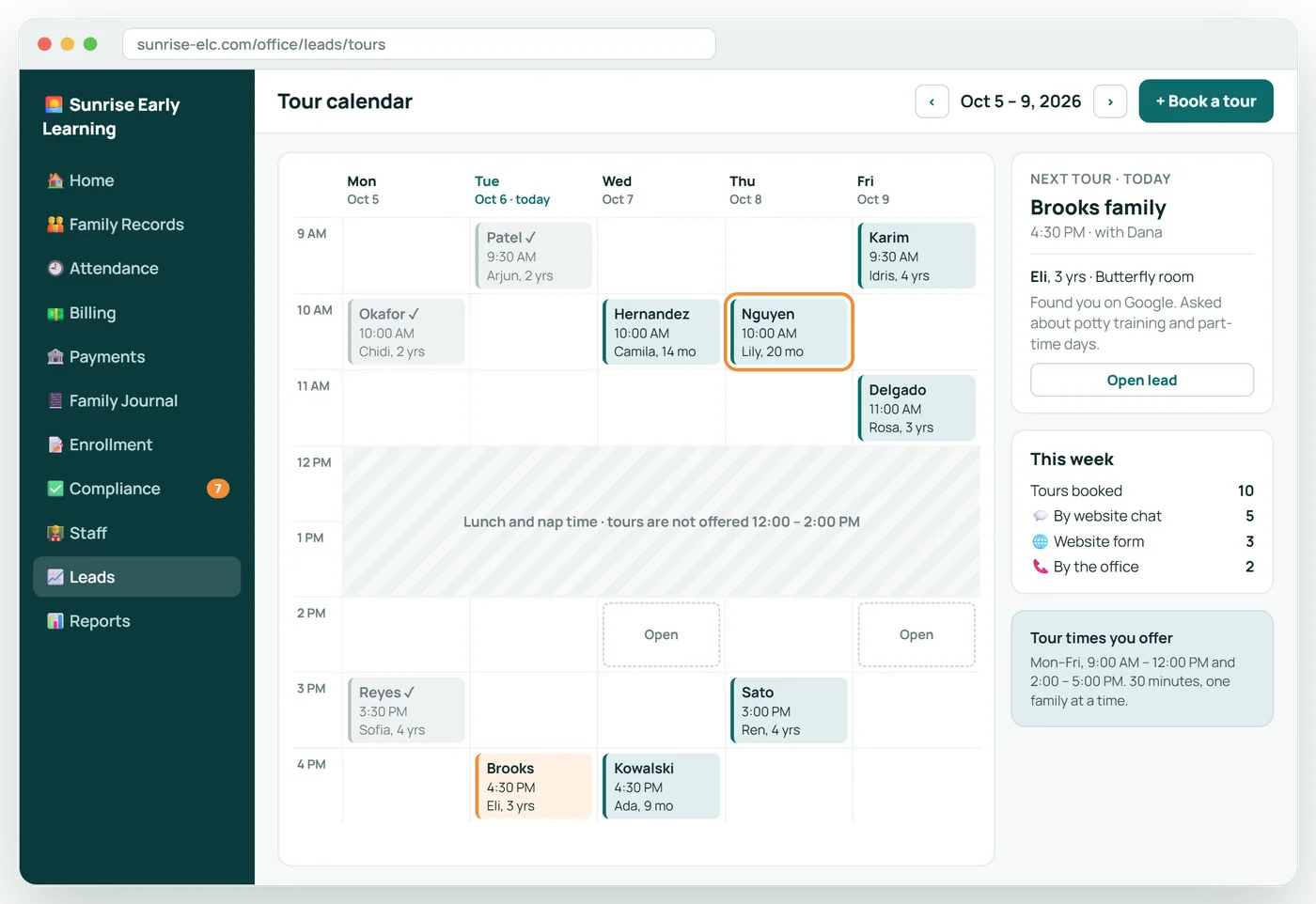
A week of tours, already booked
Tours land on the calendar from the chat, the website and the office, inside the hours you choose to offer.
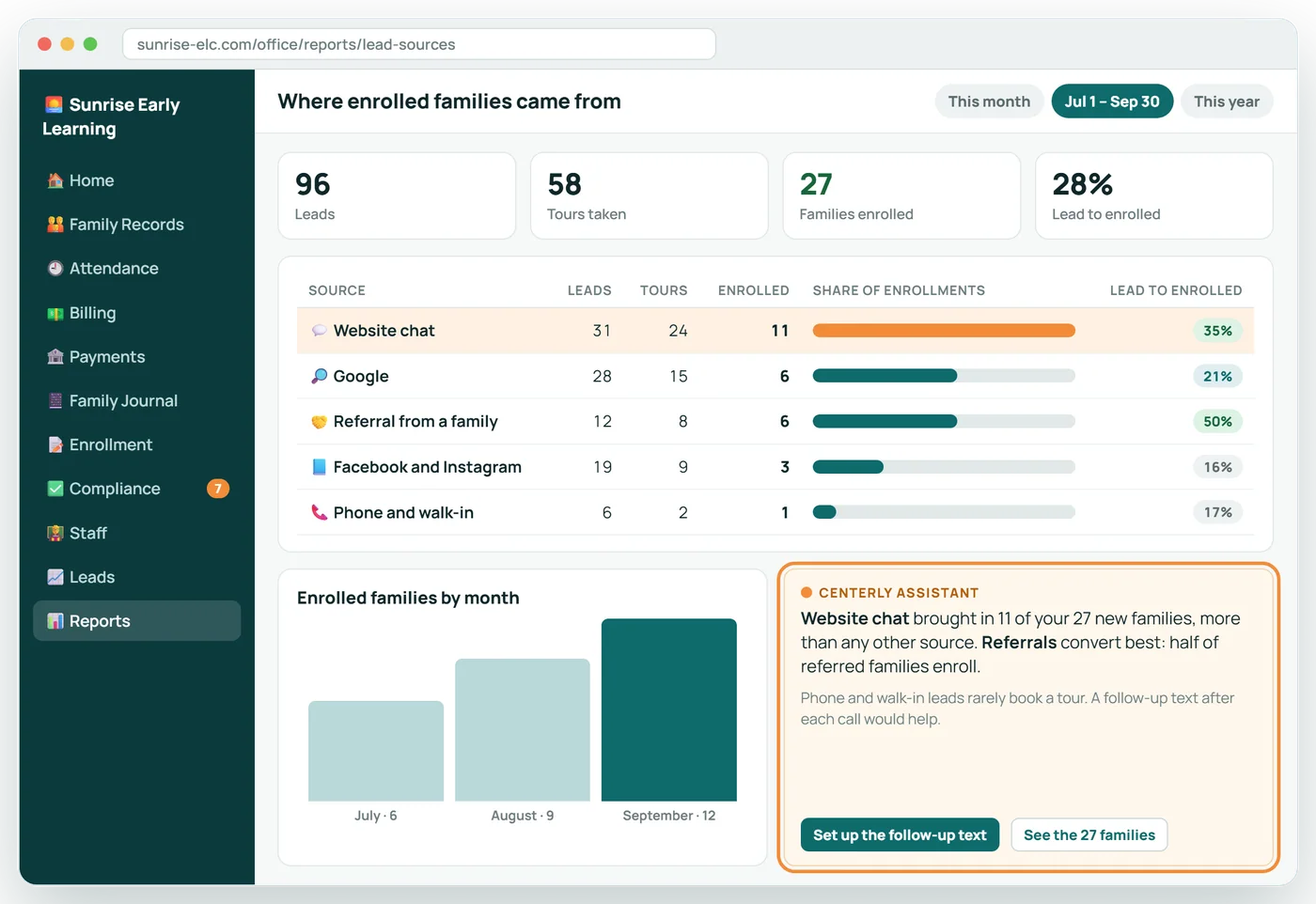
See what actually fills your rooms
Every enrolled family is traced back to where they first found you, so you know which sources are worth your time and money.
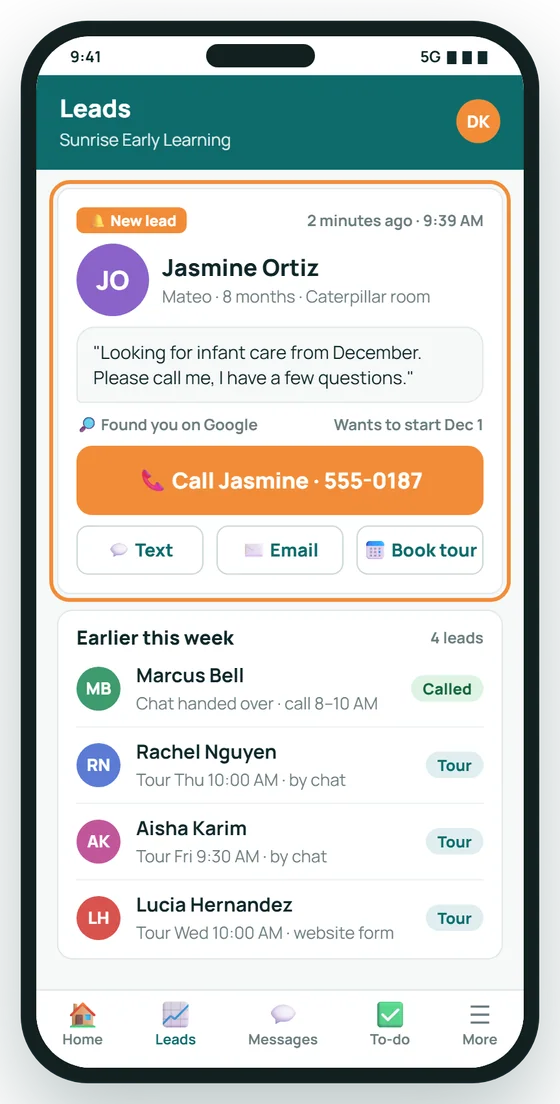
A new lead, and one tap to call back
The director hears about a new family within minutes and can return the call from wherever she is standing.
The pipeline
| Stage | What it means | What Centerly does |
|---|---|---|
| Inquiry | A family has asked a question | Records the source; invites them to book a tour |
| Tour scheduled | A date is on the calendar | Sends a reminder before the tour |
| Toured | They have visited | Sends a thank-you and check-ins |
| Offer made | A spot has been offered | Sends the enrollment packet |
| Enrolled | The packet is signed | Creates the child's file; stops the follow-up |
About Enrollment CRM
Where do leads come from?
Your website, the chat agent, phone calls and walk-ins your office adds, referrals and advertising.
What follow-up is sent?
A reminder before the tour, a thank-you after it, and check-ins over the following weeks, until the family enrolls or asks you to stop.
Can we see what is working?
Yes. Reports show which sources produce tours and enrollments, not only inquiries.
Related features
Website Chat Agent
Answers parents on your website at any hour, and books the tour.
See it →Managed advertisingLead Generation
Set a budget and a target cost per tour. Centerly does the rest.
See it →Enrollment and e-signaturesOnline Enrollment
The whole enrollment packet, filled in and signed online.
See it →See Enrollment CRM with your own center in mind
A 30-minute call, shaped around how your center runs today.